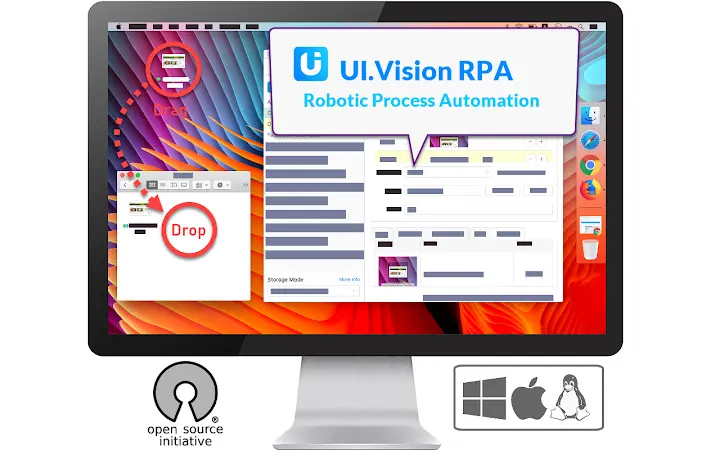

The combination of classical browser automation with modern computer vision makes UI Vision Kantu the powerful and popular solution to automate web and desktop apps. Kantu combines three tools into one:(1) Visual Browser Automation and UI TestingThe visual UI testing commands of Kantu help web designers and developers to verify and validate the layout of websites and canvas elements. Kantu can read and recognize images and text inside canvas elements, images and videos.Kantu can resize the browser's window in order to emulate various resolutions.
This is particularly useful to test layouts on different browser resolutions, and to validate visually perfect mobile, web, and native apps.(2) Visual Desktop Automation for Windows, Mac and LinuxKantu can not only see and automate everything inside the web browser. It uses image and text recognition to automate your desktop as well (Robotic Process Automation, RPA). Kantu can read images and text on your desktop and click, move, drag & drop the mouse and simulate keyboard input.The desktop automation feature requires the installation of the free Kantu XModules.
This is a separate software package available for Windows, Mac and Linux. It adds the “eyes” and “hands” to Kantu.(3) Selenium IDE++Kantu includes Selenium commands for general web automation, web testing, form filling & web scraping. But Kantu has a different design philosophy then the classic Selenium IDE.
On the one hand it is a record & replay tool for automated testing just like the classic Selenium IDE, but even more it is a "swiss army knife" for general web automation like screen scraping, automating file uploads and autofill form filling. It has many features that the classic IDE does not (want to) have. For example, you can run your macros directly from the browser as bookmarks or even embed them on your website.
If there’s an activity you have to do repeatedly, just create a web macro for it. The next time you need to do it, the entire macro will run at the click of a button and do the work for you.Kantu is intended as an Open-Source alternative to iMacros, UIPath and Selenium IDE, and supports all important Selenium IDE commands. When you invest the time to learn Kantu, you learn Selenium IDE at the same time.Kantu includes many features that are not found in the classic Selenium IDE, such as the ability to write and read CSV files (data-driven testing), visual checks for UI testing, file download automation, PDF testing and the ability to take full web page and desktop screenshots.(API) Integrate with your favorite tools via command lineKantu has a detailed command line API.
This allows you to integrate Kantu with any other application. For example, Kantu is often integrated with Jenkins and CI/CD tools or the Windows task scheduler. Kantu can be automated and controlled from any programming or scripting language, for example Python or Powershell.Kantu web macros can be combined/used with other extensions such as Greasemonkey, Adblock, uBlock, NoScript, Ghostery, Video DownloadHelper, DownThemAll or LastPass.Happy Automating!For questions and suggestions, please visit the active Kantu community forum at https://forum.ui.vision







